Mobile game performance testing: when the engine changes
I would repeat performance tests at every engine or SDK upgrade. Here is what to compare, how often to test and where the numbers need care.
Stability and heat affect the experience
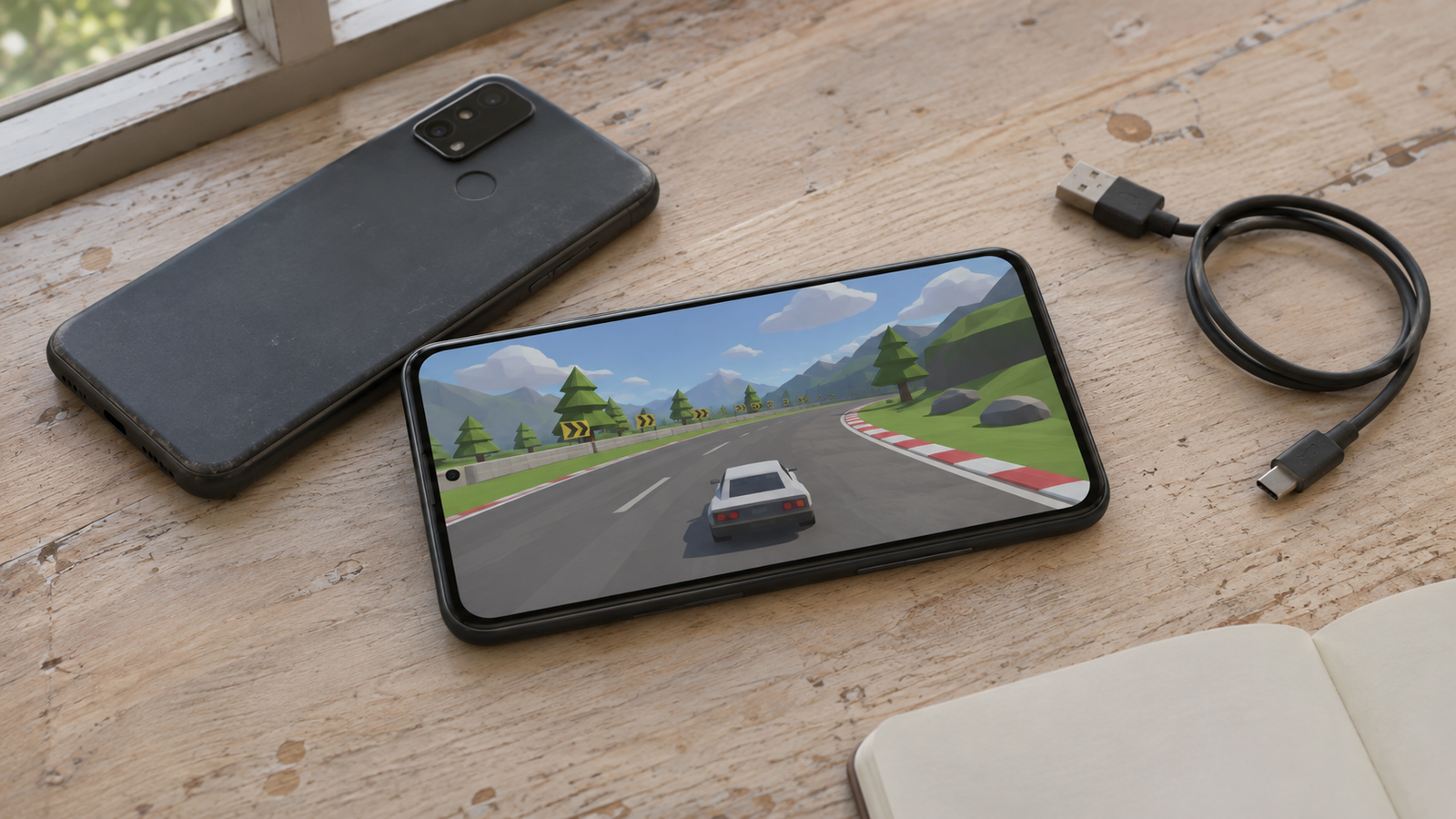
A crash at launch, stutter during a match or a hot phone can interrupt a good game. I would make performance testing part of the release cycle, especially when an engine, SDK or operating system changes. A passing result belongs to the build, device and conditions that produced it.
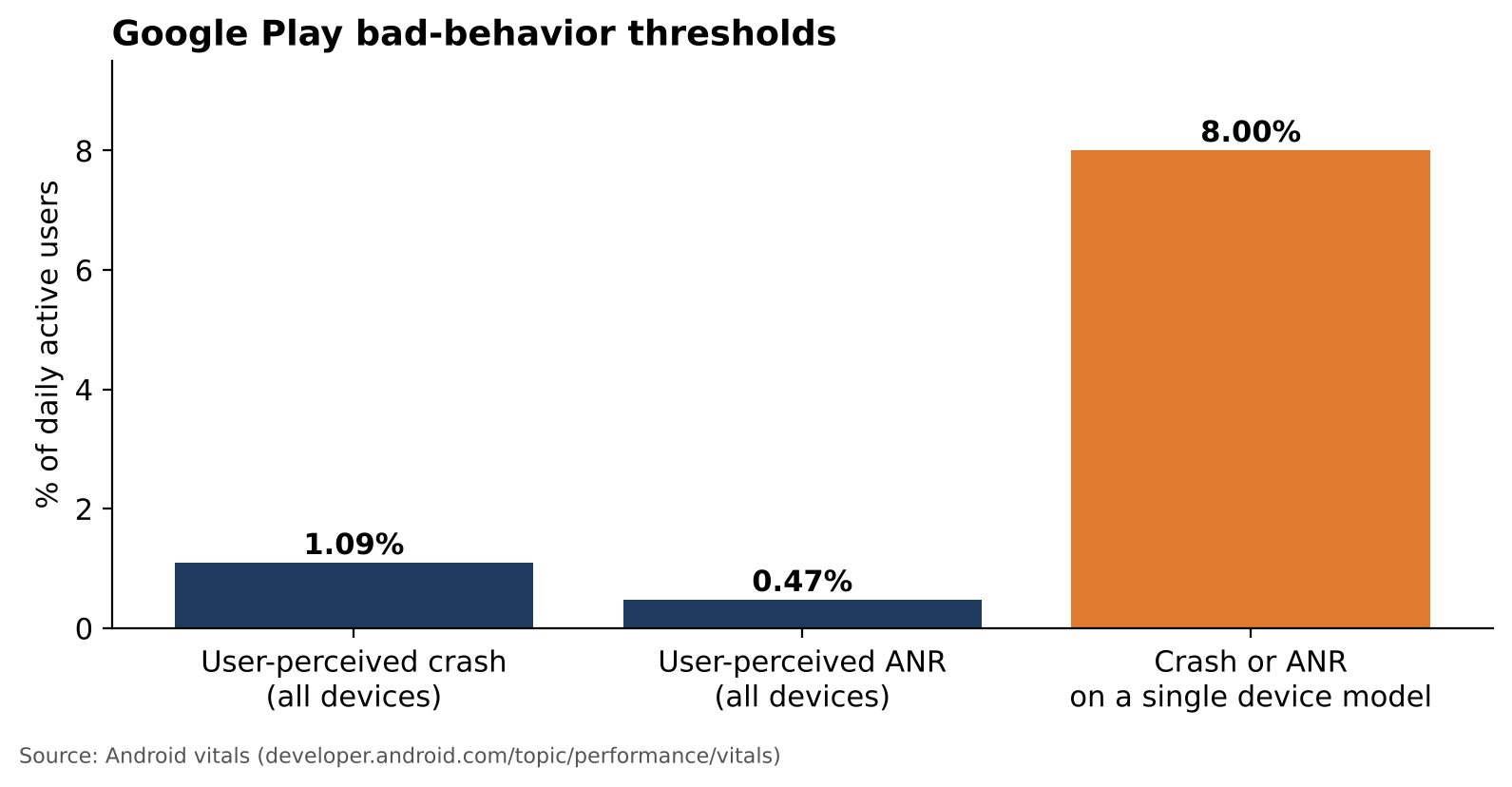
Google Play lists overall thresholds of 1.09% for user-perceived crashes and 0.47% for user-perceived ANRs, measured per daily active user. Each metric also has an 8% threshold per phone model. Exceeding a threshold may affect visibility or trigger a store warning.
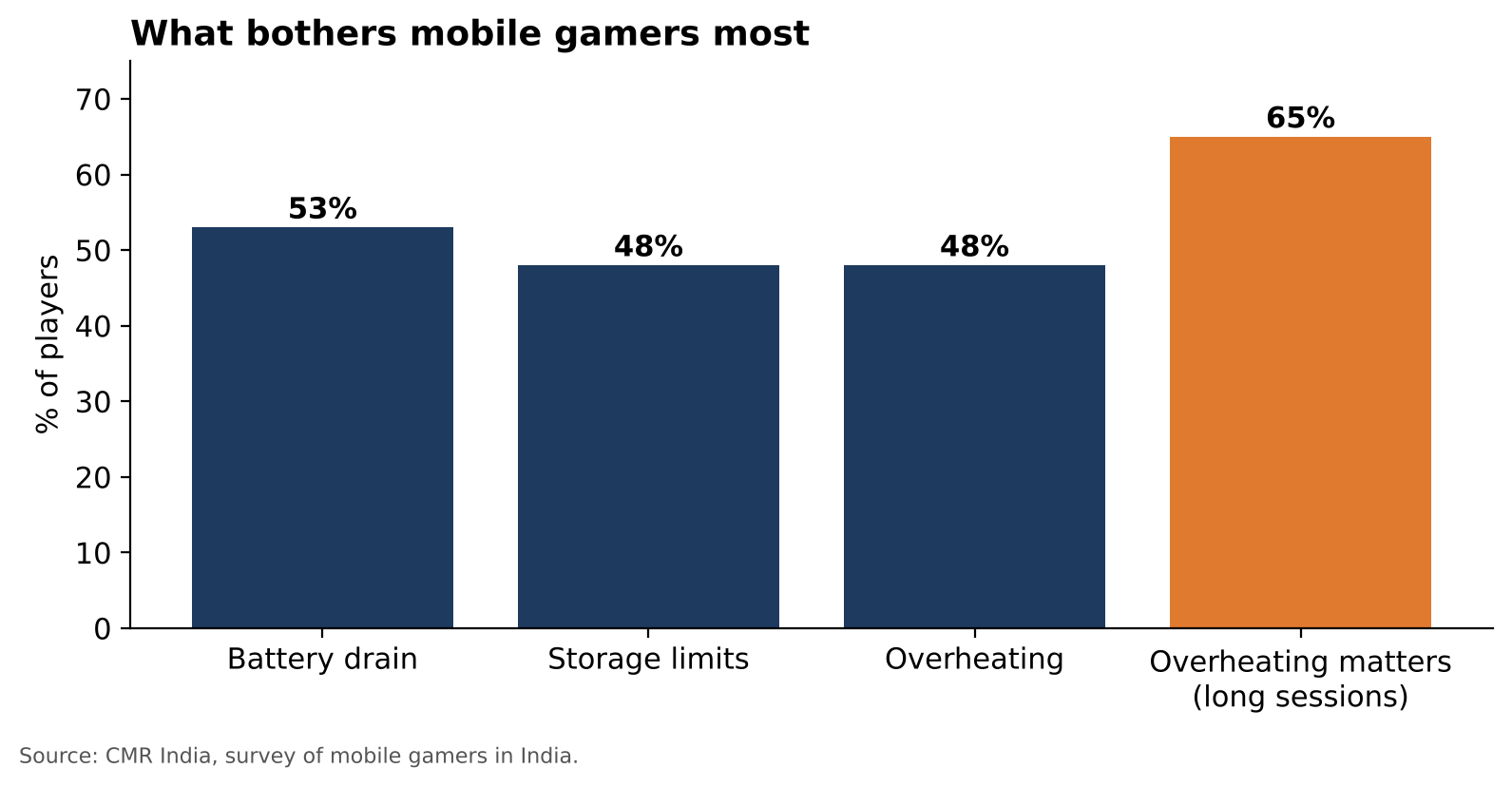
Battery and heat deserve their own checks. CMR's 2023 survey of 2,086 mobile gamers in India identified battery drain at 53%, storage limits at 48% and overheating at 48%. This is a dated survey of one market; I would use it to choose questions to investigate.
References: Google: Android vitals and stability thresholds
References: CMR: India gaming smartphone study, December 2023
Retest the engine and the SDKs
In December 2024, a developer reported roughly 20 ms per frame on Unity 2022.3 and 50 ms on Unity 6.0.23f1 with a Redmi Note 10 and a URP sample. Later replies discuss settings and possible improvements. This is a developer report with unresolved variables, so I would investigate rather than predict the same regression in another project.
SDKs need the same attention. Unity Ads 4.16.6, released January 22, 2026, documented improved stability and ANR handling on some low-memory Android devices. That is a concrete reason to test startup, ads and return-to-game flows after dependency changes.
References: Developer report and follow-up discussion: Unity URP
References: Unity Ads SDK release history
Compare repeatable sessions on real devices
I would keep a baseline and rerun the same route on representative entry-level, mid-range and high-end phones. Hold brightness, graphics settings, refresh rate, charging state and starting temperature steady. Record build and OS versions, repeat runs, and investigate consistent differences.
Look beyond average FPS: frame times and stutter, memory growth, loading, battery and temperature over time. Android's ADPF documentation describes changing thermal states and CPU clocks. An emulator helps with other checks; sustained performance needs validation on target hardware.
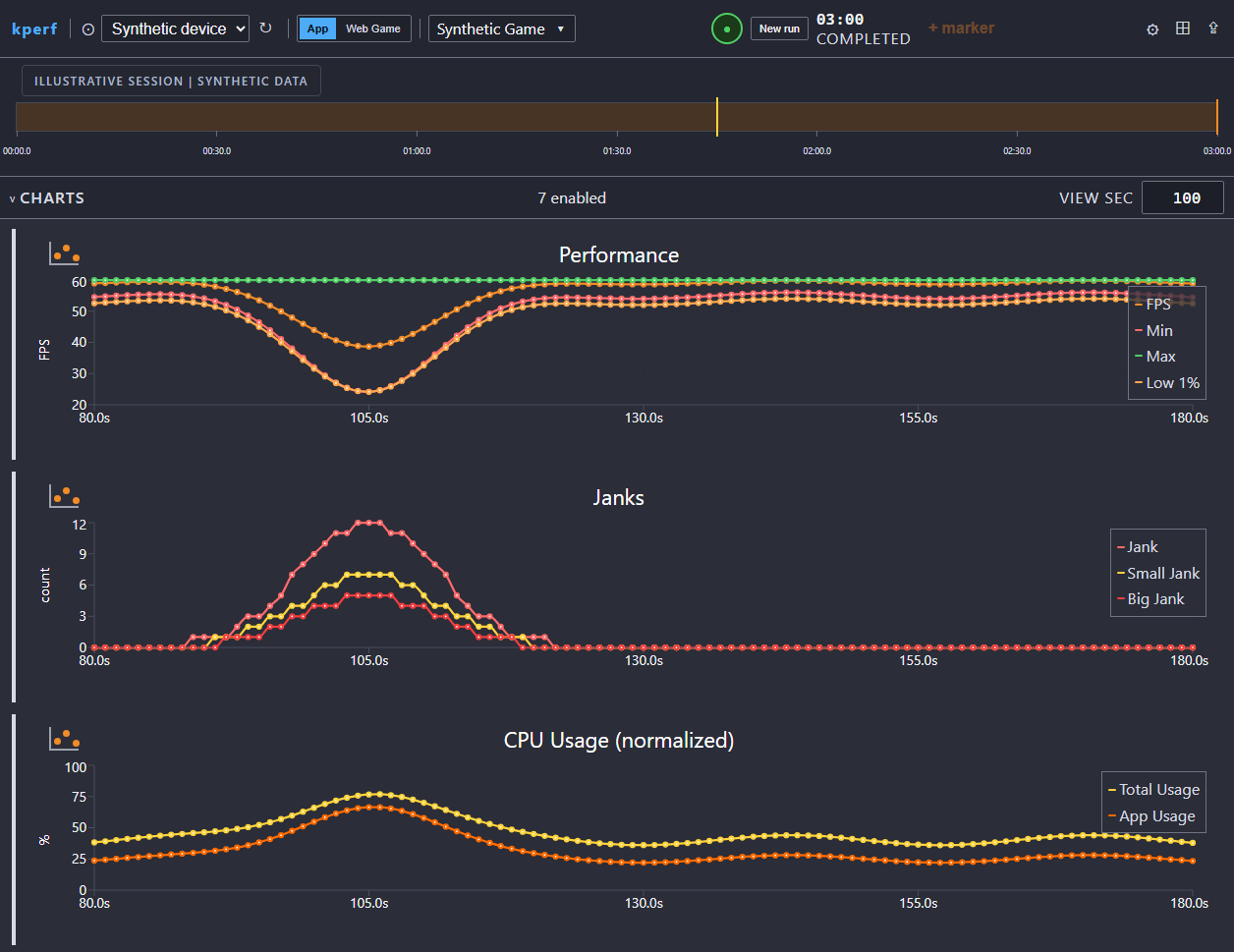
The kPerf example below uses synthetic data to show an FPS drop alongside jank and CPU activity. Those coincident curves would guide an investigation; they do not establish a cause. Collection also has limits: record missing metrics and permissions, and never infer frame-time percentiles from an FPS average.
A cadence I would start with
I would tie coverage to changes and player exposure. This is a starting recommendation to adapt to your game's risks:
- At prototype stage, record a baseline scenario and a target frame budget on representative devices.
- At every engine upgrade, including LTS patches, compare the previous and candidate builds with equivalent settings.
- After ads, analytics, attribution or networking SDK changes, check startup, memory and the affected flows.
- Before major content releases and soft launch, revisit demanding scenes and the device matrix.
- When a new Android or iOS reaches your audience, rerun the critical scenarios.
- In live operations, start with a monthly 30 to 60 minute soak on a weaker supported device; adjust duration to actual player sessions.
Make the investment useful
Testing costs device time, maintenance, repeat runs and specialist interpretation. One device or one short run can miss a problem. I would track actionable regressions found before release, investigation time and support reports to judge the value of the coverage.
Google's Spokko case study reports expansion from 520 to 9,280 supported devices in two weeks and 10% more downloads after performance-informed targeting. This is a reported result for that game, with no guaranteed return for another studio.
Kakunyn offers mobile game performance testing covering FPS, battery, memory, network behavior, heat and crashes. If an engine migration or release is approaching, get in touch to discuss the devices, scenarios and comparisons your QA coverage needs.
About the author
Rofli Sanches is a developer with more than 18 years of experience and a co-founder of Kakunyn.
Have a product question or need a second opinion?
Talk with the Kakunyn team about your software and quality needs.